June for Mac
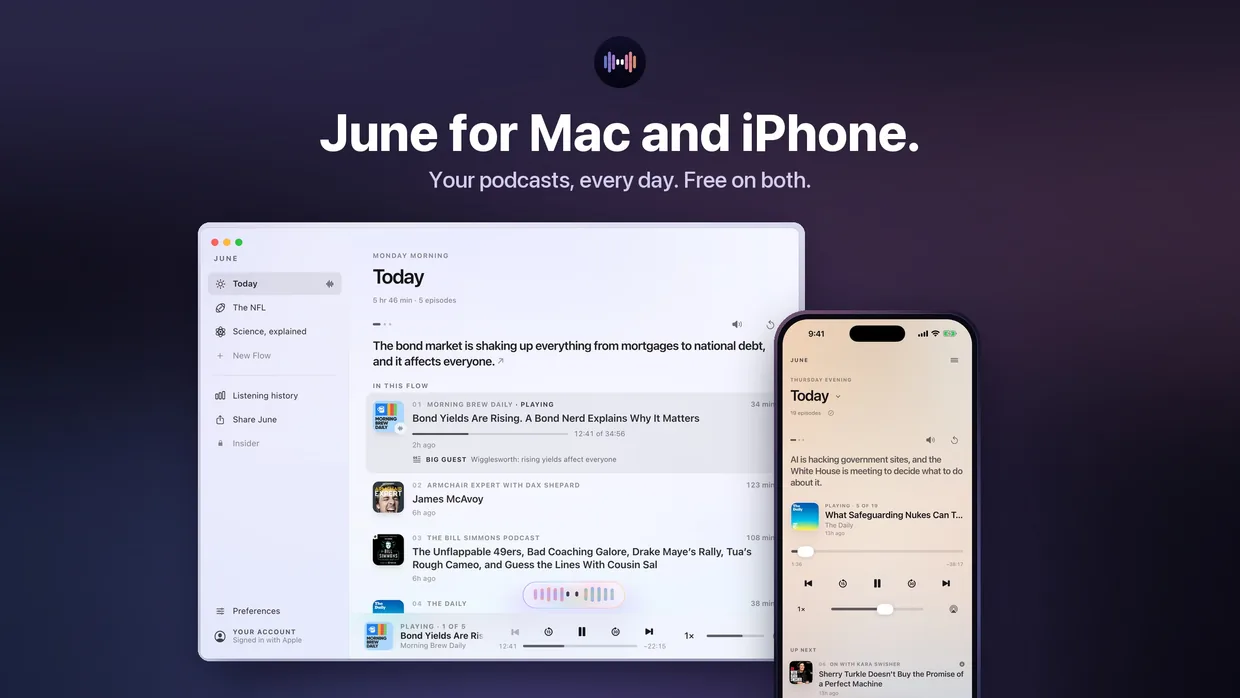
Same Flows, bigger screen. Open June at your desk and today’s new episodes from your shows are already lined up, with Auto-skip taking care of the ads. Your shows, Flows and place in each episode are the same as on your iPhone.
Last updated October 26, 2026


Made for the desk
Your Flows sit in a sidebar, with Today on top. A player in the menu bar shows what’s playing and what’s next, and lets you scrub and skip without bringing the window forward.
The keyboard does the rest: Space plays and pauses, ⌘→ and ⌘← move between episodes, ⇧⌘← and ⇧⌘→ go back 15 or forward 30 seconds, and ⌘K opens June so you can ask for a change.
One account on iPhone and Mac
Sign in with the same account on both and your shows, Flows, listening history and playback positions follow you. Start an episode on your phone and finish it at your desk. Premium covers both.
Requirements
macOS 26 or later, from the Mac App Store.
Free on iPhone and Mac
Join now as a Founding Member: 4 months of Premium free, with Auto-skip ads and up to 6 Flows.