How June works
June is a podcast app with no inbox. Every morning it lines up today’s new episodes from your shows, and with Auto-skip on, ads skip themselves.
Last updated October 26, 2026


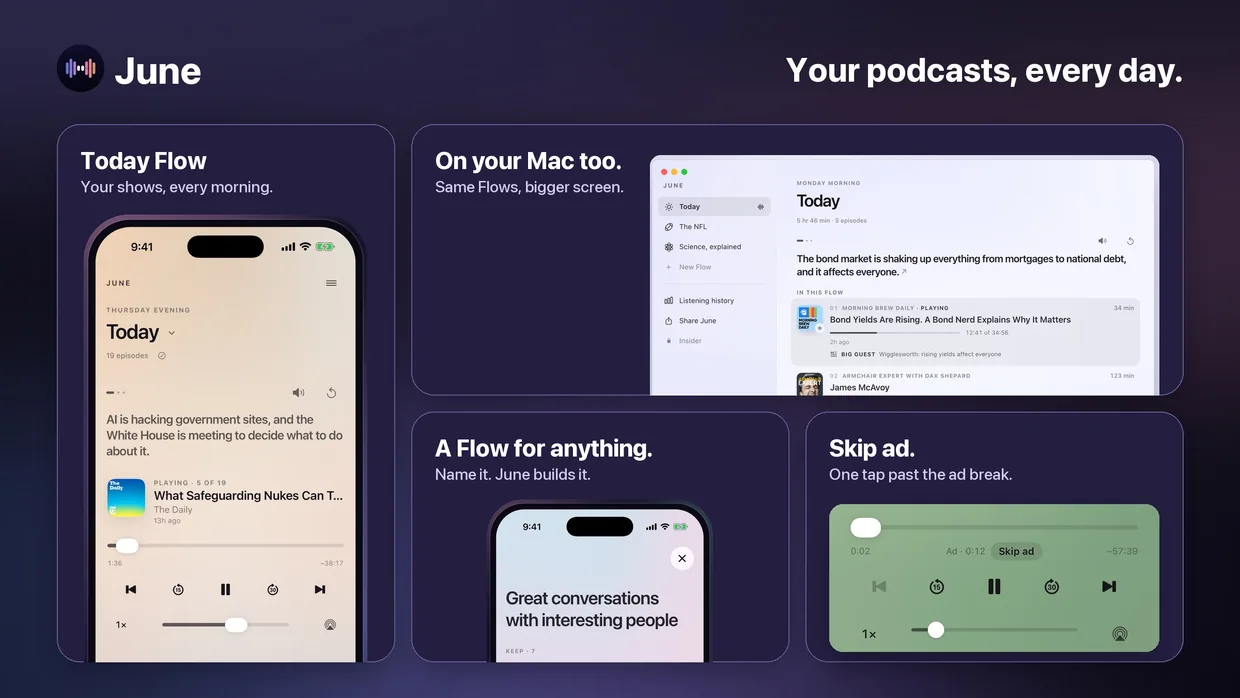
Today Flow: your shows, every morning
Today is the Flow June prepares from your shows, which June calls your Regulars. The first time you open or play it each day, it lines up the newest episodes you haven’t heard, newest first, with the total time and episode count shown before you press Play. There is no unplayed count and nothing to clear: each morning starts from today’s episodes.
When new episodes come out later in the day, June adds them after noon and again after 5 p.m., right after the episode you’re on. Nothing else moves. An episode you finish or skip is done in every Flow, and you can still replay it on purpose. A podcast app with no inbox.
With Auto-skip on, ads skip themselves
Turn on Auto-skip ads in Preferences once. From then on, when an ad break starts, June jumps to where the show picks up again. It skips only breaks it has verified in the exact audio you’re hearing; without that evidence it doesn’t skip anything. Auto-skip is part of Premium. How Auto-skip works.
A Flow for anything
Type a topic, like “the NFL,” and June finds the shows that cover it, such as NFL Daily with Gregg Rosenthal, Heed the Call and The Ringer NFL Show. Keep or swap any show, then create the Flow. Every morning June lines up that day’s episodes from those shows; if nothing new is worth hearing, the Flow stays as it was. More on Flows.
Your shows
Say “add The Daily” and June adds it to your Regulars. Ask for “some science shows” and June shows you real shows to keep or drop before anything is saved. You can also open Regulars to add, remove or reorder shows, or bring your library from another app.
Ask June for a change
Tap the JUNE control at the top of the screen to type, or hold it to speak. “Only my regular shows today,” “put that interview next” and “I have twenty minutes” change the Flow in place without stopping what’s playing. You can also ask about the episode you’re hearing, like “who is the guest?”; June answers from the publisher’s description and, when there is one, the transcript, and says when it doesn’t know.
On your Mac too
Same Flows, bigger screen. June on Mac keeps your Flows in a sidebar, puts a player in the menu bar and picks up where your iPhone left off. June for Mac.
Real episodes, the publisher’s audio
June plays whole episodes streamed from the publisher. It doesn’t cut shows into clips or make audio of its own. Playback carries on in the background, with controls on the Lock Screen, in CarPlay and on Apple Watch, where you can also switch Flows.
Free on iPhone and Mac
Join now as a Founding Member: 4 months of Premium free, with Auto-skip ads and up to 6 Flows.